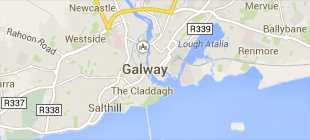
-
Courses

Courses
Choosing a course is one of the most important decisions you'll ever make! View our courses and see what our students and lecturers have to say about the courses you are interested in at the links below.
-
University Life

University Life
Each year more than 4,000 choose University of Galway as their University of choice. Find out what life at University of Galway is all about here.
-
About University of Galway
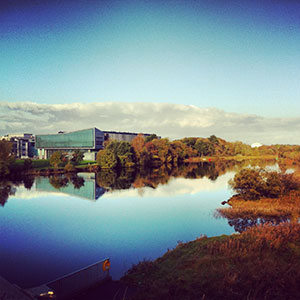
About University of Galway
Since 1845, University of Galway has been sharing the highest quality teaching and research with Ireland and the world. Find out what makes our University so special – from our distinguished history to the latest news and campus developments.
-
Colleges & Schools
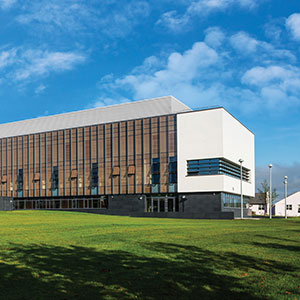
Colleges & Schools
University of Galway has earned international recognition as a research-led university with a commitment to top quality teaching across a range of key areas of expertise.
-
Research & Innovation

Research & Innovation
University of Galway’s vibrant research community take on some of the most pressing challenges of our times.
-
Business & Industry
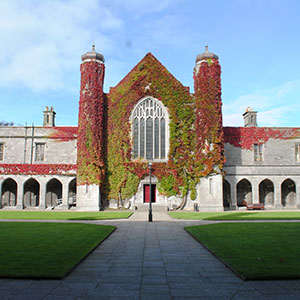
Guiding Breakthrough Research at University of Galway
We explore and facilitate commercial opportunities for the research community at University of Galway, as well as facilitating industry partnership.
-
Alumni & Friends

Alumni & Friends
There are 128,000 University of Galway alumni worldwide. Stay connected to your alumni community! Join our social networks and update your details online.
-
Community Engagement
Community Engagement
At University of Galway, we believe that the best learning takes place when you apply what you learn in a real world context. That's why many of our courses include work placements or community projects.
 Accessibility & Language
Large Video
Example Large Video
This is the description of the example large video. This content type optionally links to a section.
About the Large Video content type
The Large Video content types is an alternative way of displaying a video on your page. There is a text box to the right of your video for a Description and the option of adding a clickable link. For accessibility remember to make link information meaningful - avoid ambiguous labels such as 'Read More' or 'Click Here, instead, add detail (e.g. 'Read more about our research') so that when the link is read out (by a screen reader) out of context, it will make sense.
This is important because, just as you might scan a page for all the links, a person with vision impairment or low vision can ask their screen reader to quickly list all links on the current page. You only have 16 characters so using 'More Information' works and is a more descriptive option.
You will need the Video ID for the YouTube video you are displaying
- Clicking on the Share icon provides code such as: https://youtu.be/BxgFMf-1QSQ?si=X-CTwTvv-OuOmkaN
- The part you need for 'Large Video' content type is YouTube ID taken from the code above - BxgFMf-1QSQ
How to add a Large Video to your webpage
- Go to the section where you want to add the 'Large Video' content type
- Click on the Actions button and choose Edit section from the dropdown menu

- Click on +Add content button

- Choose the 'Large Video' content type
- Give the content a Name
- Insert the Video ID in the Video ID field
- Insert a Description (the text that appears on the right hand side). You have a maximum of 169 characters.
- Click on +Add section link or +Add content link to add a link to a Section or a piece of Content.

- If you link to something, you should provide a Link Name, as per the example above ('More Information'). You have a maximum of 16 characters.
- Click Save changes to put your content on Pending

Or else,
Click on the small white arrow and click Save and approve to approve your content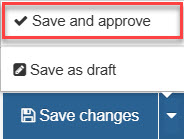
Note: You change a page's width (and other options) using its section's 'Page Customisation Keywords' field - see my interactive demonstration for full information.