-
Courses
Courses
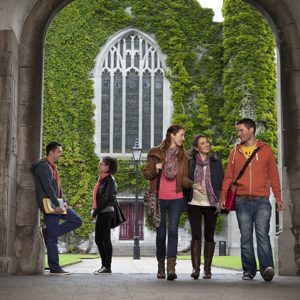
Choosing a course is one of the most important decisions you'll ever make! View our courses and see what our students and lecturers have to say about the courses you are interested in at the links below.
-
University Life

University Life
Each year more than 4,000 choose University of Galway as their University of choice. Find out what life at University of Galway is all about here.
-
About University of Galway

About University of Galway
Since 1845, University of Galway has been sharing the highest quality teaching and research with Ireland and the world. Find out what makes our University so special – from our distinguished history to the latest news and campus developments.
-
Colleges & Schools
Colleges & Schools
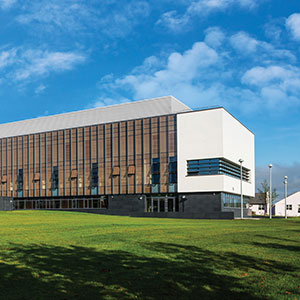
University of Galway has earned international recognition as a research-led university with a commitment to top quality teaching across a range of key areas of expertise.
-
Research & Innovation

Research & Innovation
University of Galway’s vibrant research community take on some of the most pressing challenges of our times.
-
Business & Industry
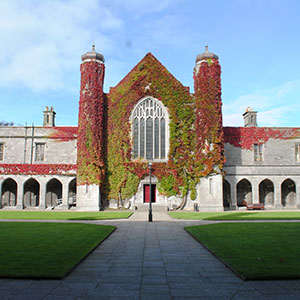
Guiding Breakthrough Research at University of Galway
We explore and facilitate commercial opportunities for the research community at University of Galway, as well as facilitating industry partnership.
-
Alumni & Friends
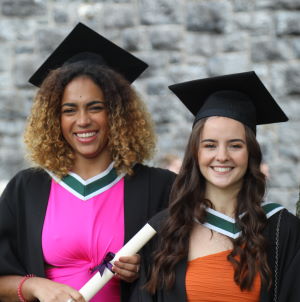
Alumni & Friends
There are 128,000 University of Galway alumni worldwide. Stay connected to your alumni community! Join our social networks and update your details online.
-
Community Engagement
Community Engagement
At University of Galway, we believe that the best learning takes place when you apply what you learn in a real world context. That's why many of our courses include work placements or community projects.
 Accessibility & Language
Registration, Exams and Transcripts

Registration, Modules, Timetables
Registration
- Students cannot register for classes until after their arrival in Galway - all relevent information regarding how to register will be given to students at the mandetory Orientation Sessions.
- Registration information will also be made available through our Canvas Module, which students can access at anytime once enrolled.
Modules Available
- Erasmus students at the University of Galway do not follow entire courses, but rather must only choose modules within the subject through which they are nominated.
- A complete list of courses available to visiting students per college / course can be found in the Visiting Student Handbooks. These are updated every year, but arealways subject to change depending on module availability:
- Students are not be permitted to register for any courses other than the ones listed in these handbooks.
ECTS and Credits
- The home university will be the one to stipulate how many ECTS / Credits students are required to take whilst here.
- We do not have a minimum requirement of ECTS that students must take, however you cannot take more than 30 ECTS per semester, 60 ECTS per year
- Most modules are 5 ECTS, and 10 ECTS modules are only available to Full Year Students.
- The only exception to this is History Seminars.
Timetables
- It may be the beginning of the semester before course timetables are finalised, and unfortunately timetables are handled externally to the International Office.
- You will usually find them through the Colleges and Schools website or office of the relevant Discipline or School, or via Canvas when you register for individual modules.
- Any queries regarding timetables should be made to the relevant school.
Exams
Exam Timetables
- Examination Timetables can be found through that link 4 weeks before they are due to begin.
- Clashes on module timetables usually lead to clashing exams, therefor students are not permitted to take modules which clash.
- Queries regarding the exam timetables should be addressed to the Examinations Office.
- General dates for examinations are set out under the Academic Calendar.
Repeat Exams
- After the end of each academic year, the University of Galway incoming coordinator - incomingerasmus@universityofgalway.ie - will contact students regarding repeat exams. Thos3 who need to repeat an Exam in August, will be asked to confirm then and be given directions on how to do so.
- Students are required to return to Galway for the repeat examinations, which usually take place in August.
- Alternative repeat arrangements are not permitted.
Please see our Repeat Exam Protocols 2025 for more information.
Transcripts
Exam Transcripts
In order to receive your transcript, you will need to make sure you maintain access to your University of Galway email even after you have finished your mobility. If you lose access or have issues with your MFA, you must contact servicedesk@universityofglaway.ie with your ID number, full name, University of Galway email and the technical issue you need resolving.
- Your transcript will be shared via Parchment to your universityofgalway.ie email address, at earliest 6 weeks after the release of results.
- Watch out for an email from Parchment (noreply@digitary.net) alerting you that you have a new document from Ollscoil na Gaillimhe – University of Galway.
For first time users, accessing your document is a 3-step process:
- Register – click on link in email to go to Parchment Learner Portal
- Activate – enter the 6-digit code sent to your email from relay@digitary.net
- Login – log into your account to view your document
Parchment processes digitally verified official documents and allows the student to then share this secure transcript with their coordinators where necessary. Transcripts, otherwise, will not be sent to coorindators by the Univerisity of Galway. Partners are aware of this.
A step-by-step guide on how to share your transcript through parchment can be found here: Parchment - Sharing your Transcript
Downloads
-

Undergraduate Prospectus 2026 PDF (12.4MB)
-

Postgraduate Prospectus 2026 PDF (3.2MB)
-

Quick Guide to Courses 2026 PDF (1.20MB)
-
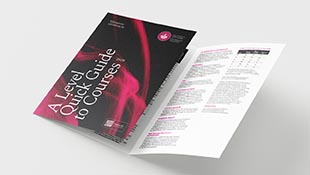
A-Level Quick Guide to Courses 2025 PDF (1.04MB)
-

Pre-Arrival Guide 2025 PDF (1.6 MB)
-
.png)
Brazil Student Guide PDF (3.2 MB)
-
.png)
Chile Student Guide PDF (3.1 MB)
-
.png)
Colombia Student Guide PDF (3.1 MB)
-
.png)
Ghana Student Guide PDF (3.4 MB)
-
Hong Kong Student Guide PDF (3.6 MB)
-

Indian Student Guide PDF (3.5 MB)
-
.png)
Indonesian Student Guide PDF (3.2 MB)
-

Malaysian Student Guide PDF (3.6 MB)
-
.png)
Mexico Student Guide PDF (3.1 MB)
-

Nigeria Student Guide PDF (3.4 MB)
-
.png)
North American Student Guide PDF (2.9 MB)
-
.png)
Panama Student Guide PDF (3.1 MB)
-

South African Student Guide PDF (3.7 MB)
-
.png)
Taiwan Student Guide PDF (4.0 MB)
-
.png)
Thailand Student Guide PDF (3.6 MB)
-
.png)
Turkish Student Guide PDF (4.2 MB)
-
.png)
UAE Student Guide PDF (3.4 MB)
-
.png)
Vietnam Student Guide PDF (3.39 MB)
.jpg" alt="Events Images 2" style="width : 649px; height : 359px; " />)