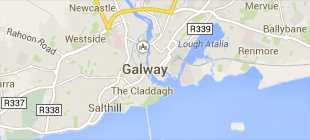
-
Courses

Courses
Choosing a course is one of the most important decisions you'll ever make! View our courses and see what our students and lecturers have to say about the courses you are interested in at the links below.
-
University Life

University Life
Each year more than 4,000 choose University of Galway as their University of choice. Find out what life at University of Galway is all about here.
-
About University of Galway

About University of Galway
Since 1845, University of Galway has been sharing the highest quality teaching and research with Ireland and the world. Find out what makes our University so special – from our distinguished history to the latest news and campus developments.
-
Colleges & Schools
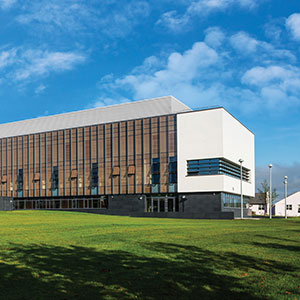
Colleges & Schools
University of Galway has earned international recognition as a research-led university with a commitment to top quality teaching across a range of key areas of expertise.
-
Research & Innovation

Research & Innovation
University of Galway’s vibrant research community take on some of the most pressing challenges of our times.
-
Business & Industry
Guiding Breakthrough Research at University of Galway
We explore and facilitate commercial opportunities for the research community at University of Galway, as well as facilitating industry partnership.
-
Alumni & Friends

Alumni & Friends
There are 128,000 University of Galway alumni worldwide. Stay connected to your alumni community! Join our social networks and update your details online.
-
Community Engagement
Community Engagement
At University of Galway, we believe that the best learning takes place when you apply what you learn in a real world context. That's why many of our courses include work placements or community projects.
 Accessibility & Language
Access Process
Follow the steps below to gain access to our facilities:
- Ensure you have satisfied your School's requirements such as completing induction, training, project risk assessments, etc. Please contact your School's safety coordinator in the first instance.
- Contact the Core Facility Lead to initiate the access process and schedule induction.
- Please see list of Core Facility Leads below
- All users are required to register on the PPMS booking tool.
- Further information on registering on PPMS below.
- On successful completion of Core Facility Induction and Training present evidence of the same to the Core Facility Building Access Card Authorizer
- Please see list of Building Access Card Authorizers below
- You will have access to the Core Facility for a limited period in line with your research needs
- The Technology Services Directorate require all users of Core Facilities to adhere to the University of Galway policies such as Lone Working, Out of Hours, Incident Reporting, etc.
Core Facility Contacts
Flow Cytometry - flowcytometry@universityofgalway.ie
Genomics and Screening - genomics@universityofgalway.ie
Light Microscopy - microscopy@universityofgalway.ie
Prototype Hub - pthub@universityofgalway.ie
Mass Spectrometry - massspec@universityofgalway.ie
Building - Access Card Authorizer
Flow Cytometry - william.brennan@universityofgalway.ie
Genomics and Screening - william.brennan@universityofgalway.ie
Light Microscopy - mark.canny@universityofgalway.ie
Prototype Hub - william.brennan@universityofgalway.ie
New User on PPMS
- Click on ‘user account creation request’
- Enter your University of Galway staff/student ID and password (the system is integrated with the University of Galway Campus Account System) and follow the onscreen prompts.
- Complete the ‘PPMS user account creation form’.
- Enter your financial account number (cost centre associated with your project, which will need to be validated by the relevant core facility STO). You can select an account from the drop down menu or create an account. An account end date is required when creating an account.
- Please note: Additional information is required if using RE or REI accounts. Written approval from the grant body or Research Accounts Office must be provided stating that internal charges are permitted.
- All cost centres must be active in order for the PPMS system to create a user account and for accurate billing of services.
- Select the Technology you wish to use in the first instance and enter a project name, description and relevant experience.
- Select your Group, i.e. PI from the dropdown menu.
- Click submit: an account creation request will be sent to the relevant STO for validation.
- Once the new user account has been validated, complete the ‘Principal Investigator Agreement form’ and request your PI to read and sign it. E-mail the completed form to the relevant STO for validation.
- When the completed PI approval form has been validated, you will be able to submit a training request.
- To request training on a new instrument, fill out the appropriate training request form (under ‘Request a Training’), which will be sent to the relevant STO.
- The STO will contact you with the date and information for the training session.